Network Security Groups (NSG)
The Security Guards of Your Virtual House
Simply Put...
Imagine your house is a virtual machine in Azure. A Network Security Group (NSG) is like a super-smart security guard standing at your front door. This guard has a list of rules. For example, the guard will only let the pizza delivery person in (people you expect), but will keep strangers out. In the same way, an NSG has rules that say 'let the good internet traffic in' and 'keep the bad internet traffic out'. Now, let's say you have a big house with many rooms, and each room is for a different purpose, like a kitchen, a bedroom, and a playroom. An Application Security Group (ASG) is like giving each room a name. You can tell the security guard, 'only let the chef into the kitchen' or 'only let the kids' friends into the playroom'. This way, you can easily manage who goes where without having to know each person's name. ASGs help you group your virtual machines and apply security rules to the whole group, making it much easier to manage security for your applications.
How it Works
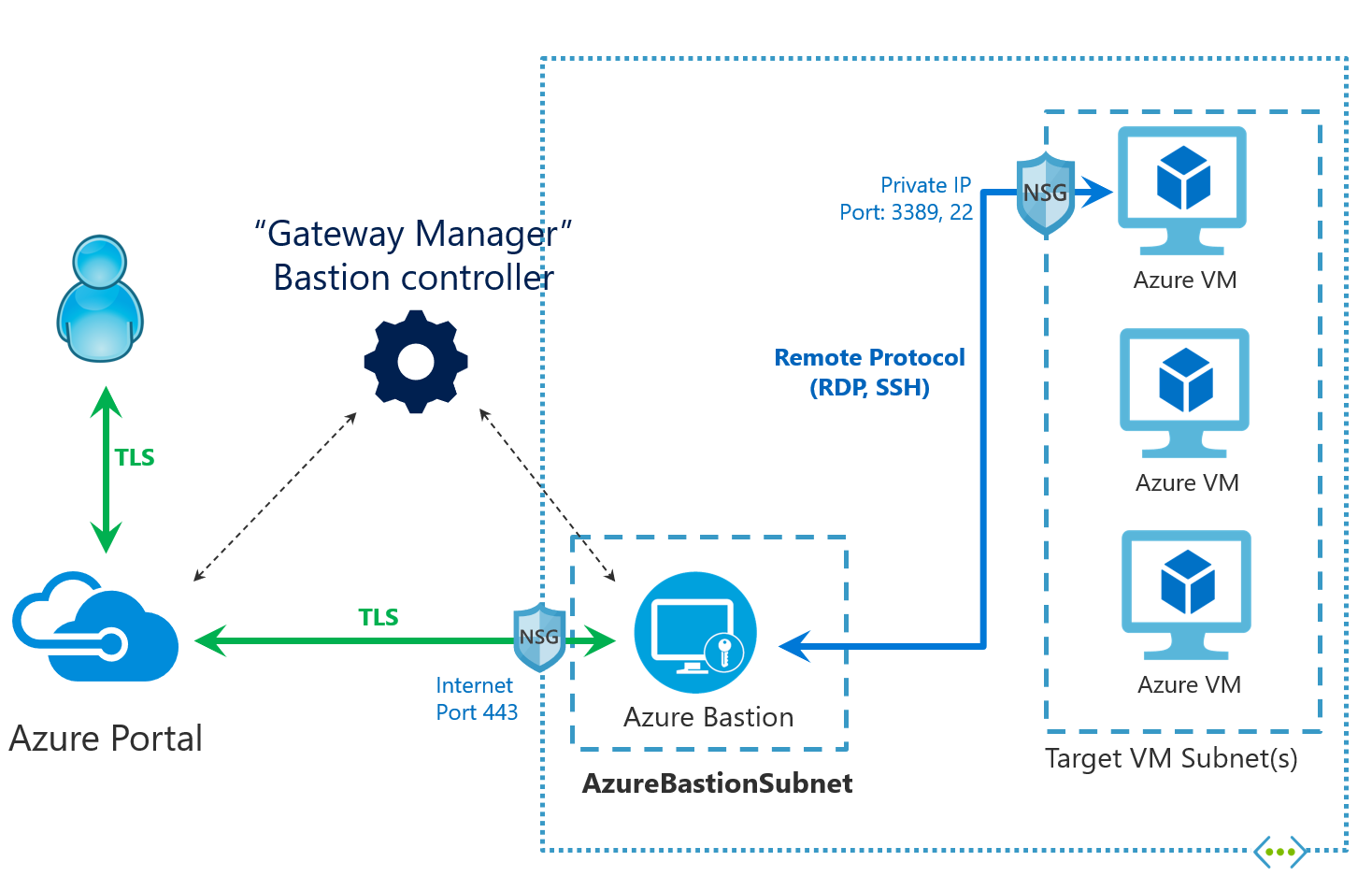
Network Security Groups (NSGs) and Application Security Groups (ASGs) work together to provide a comprehensive network security solution in Azure. An NSG is associated with a subnet or a network interface and contains a set of security rules that filter traffic based on the 5-tuple (source IP, source port, destination IP, destination port, and protocol). ASGs, on the other hand, are used to group virtual machines logically. You can then reference these ASGs in the source or destination of an NSG rule. This allows you to create security policies that are based on application workloads rather than individual IP addresses. For example, you can create an ASG for your web servers and another for your database servers. Then, you can create an NSG rule that allows traffic from the web server ASG to the database server ASG on a specific port. This architecture simplifies security management, improves scalability, and makes it easier to enforce a Zero Trust security model.
Scalability Superpowers
NSGs and ASGs are highly scalable and can be used to secure large and complex environments. By using ASGs, you can group thousands of virtual machines and apply security policies to the entire group. This makes it easy to scale your applications without having to manually update your security rules. When you add a new virtual machine to an ASG, it automatically inherits the security policies of that group. This dynamic policy management simplifies the administration of your network security at scale.
Key Parts
- Security Rules: These are the individual rules that make up an NSG. Each rule specifies a source, destination, port, protocol, and action (allow or deny).
- Default Security Rules: Every NSG comes with a set of default rules that can be overridden.
- Augmented Security Rules: These rules allow you to specify multiple IP addresses, ports, and ranges in a single rule, simplifying rule management.
- Service Tags: These are Microsoft-managed labels that represent a group of IP address prefixes from a given Azure service.
- Application Security Groups (ASGs): These allow you to group virtual machines and define security policies based on those groups.
Security Features
- 🛡️Firewall Rules: NSGs provide stateful packet filtering, allowing you to create rules that allow or deny traffic based on the 5-tuple.
- 🛡️Traffic Filtering: You can filter traffic between Azure resources, between on-premises networks and Azure, and between Azure and the internet.
- 🛡️Security Best Practices: By following best practices, such as using a Zero Trust approach, logically segmenting subnets, and using ASGs to simplify rule management, you can significantly improve your security posture.
- 🛡️Centralized Management: You can manage all your network security rules from a single location, making it easier to enforce your security policies.